YouTube to PDF
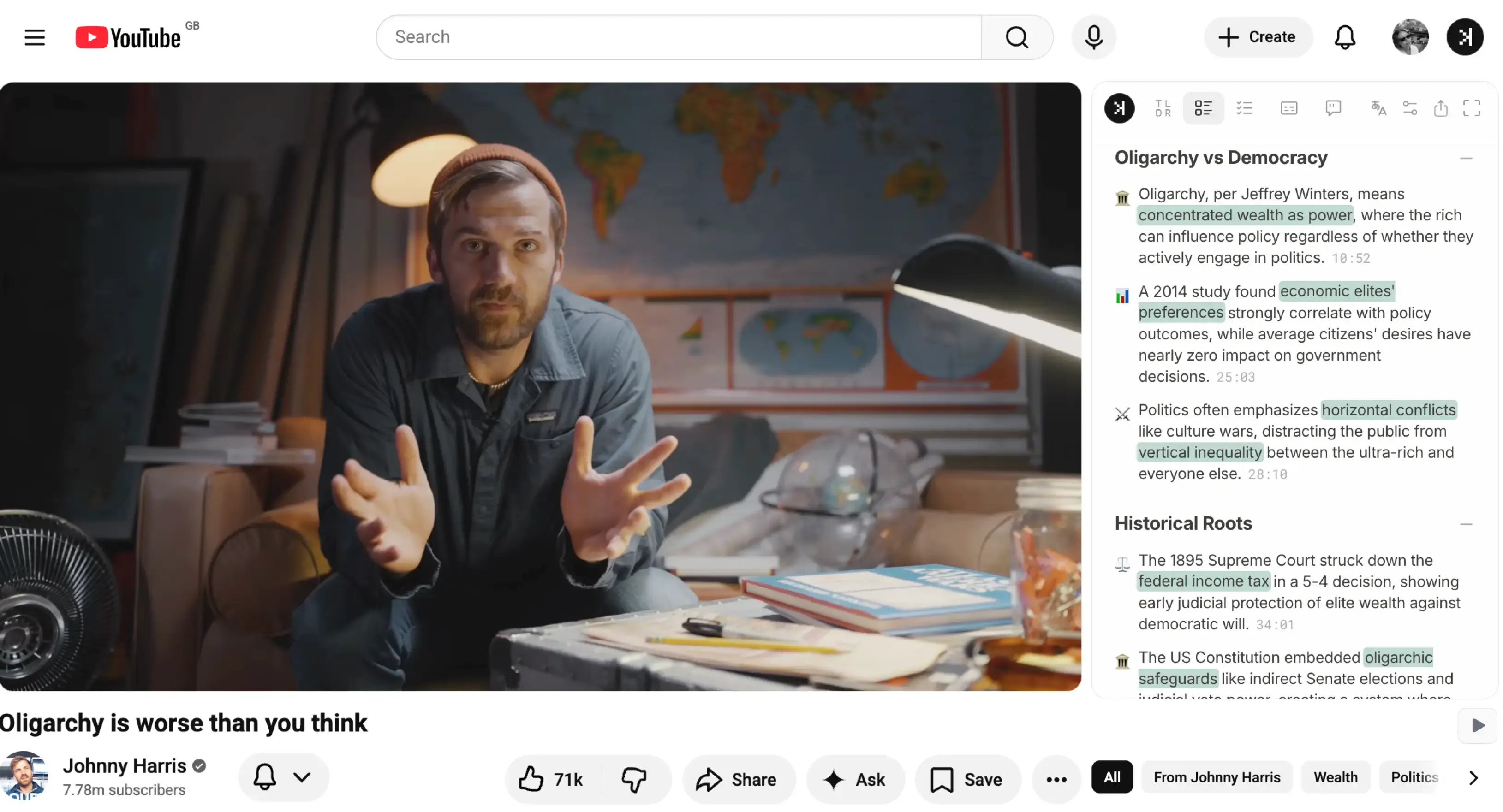
Each video summary SkipBait generate includes TL;DR, an honest title, a timestamped summary, and clickable actionable insights.
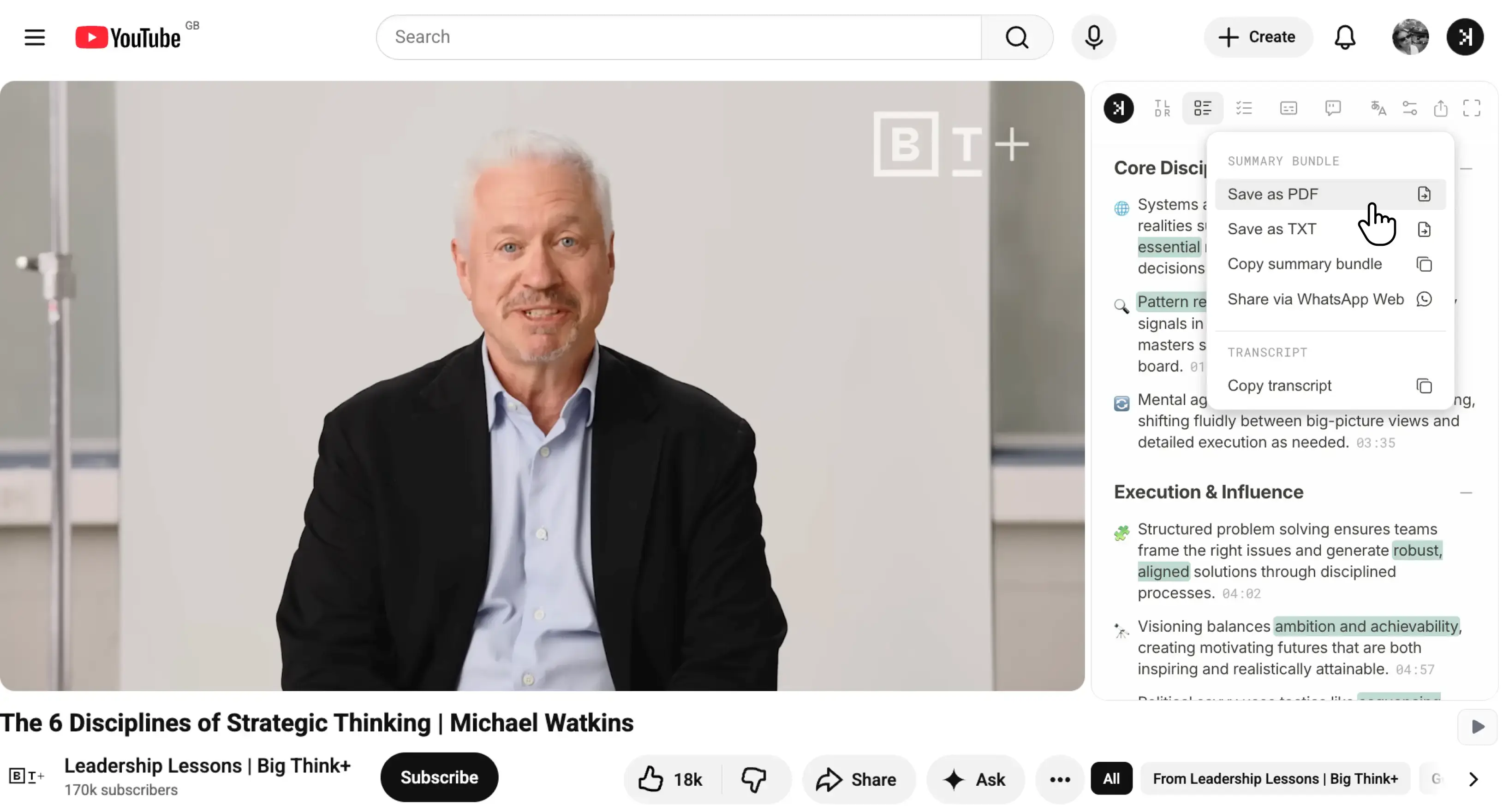
Simply Visit any YouTube video, generate a summary and in seconds, you can export it as a PDF, plain text, or a quick copy-paste. Convert a YouTube video to PDF is that simple.

Export your first YouTube PDF on the free tier.
Convert a YouTube video to PDF in one click
Visit any YouTube video and generate a summary in seconds. Then choose an export option from the dropdown to convert YouTube video to PDF. There is no separate tool and no upload step. The same panel that summarizes the video exports it too.
- Easily accessible export button next to the video
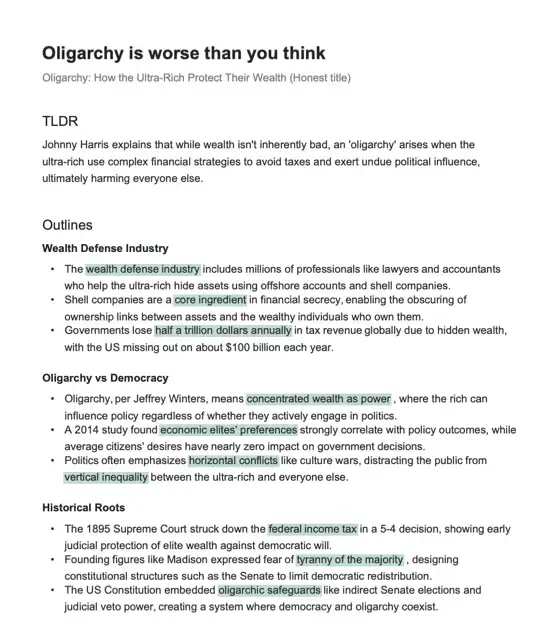
- Each PDF includes the original title, link, an honest title, TL;DR, the full timestamped summary, and actionable insights (if relevant)
- Optionally export as TXT or copy to clipboard
- No paste-URL or paste-transcript workflow to get a summary

Turning YouTube videos into PDF notes is ideal for:
- Students - Save lecture summaries as PDF and revisit timestamped notes before an exam without rewatching the recording.
- Researchers - Keep a searchable PDF record of every video you reference, with actionable insights linked back to source timestamps.
- Professionals - Turn webinars and training videos into a PDF you can forward to a colleague who doesn't have time to watch the full recording.
- Content reviewers - Export a clean text version of a video's key points for notes, briefs, or reports without retyping anything.
AI built to extract important points
A two-hour vs a 15 minutes video, you would be surprised which contains more useful information, SkipBait is built to capture all the important points into a timestamped outline and actionable insights for you to revisit anytime.
- AI notes for long YouTube lectures, meetings, and interviews
- Life-long leaners who want important information extracted with no fluff
- Works for all video lengths, from 5 minutes to 8 hours+
- Convert YouTube videos to PDF in seconds

Save as PDF or TXTYouTube to PDF converter with export and copy options

SkipBait's summary export works like a YouTube to PDF converter. Export as PDF when you want to save, print, or attach a file to an email. Export as TXT when you need text for a notes app. Each export includes TL;DR, the original and honest title, a timestamped summary, and actionable insights, not just a block of transcript text. SkipBait turns a YouTube video into notes you can skim, share, or file away.
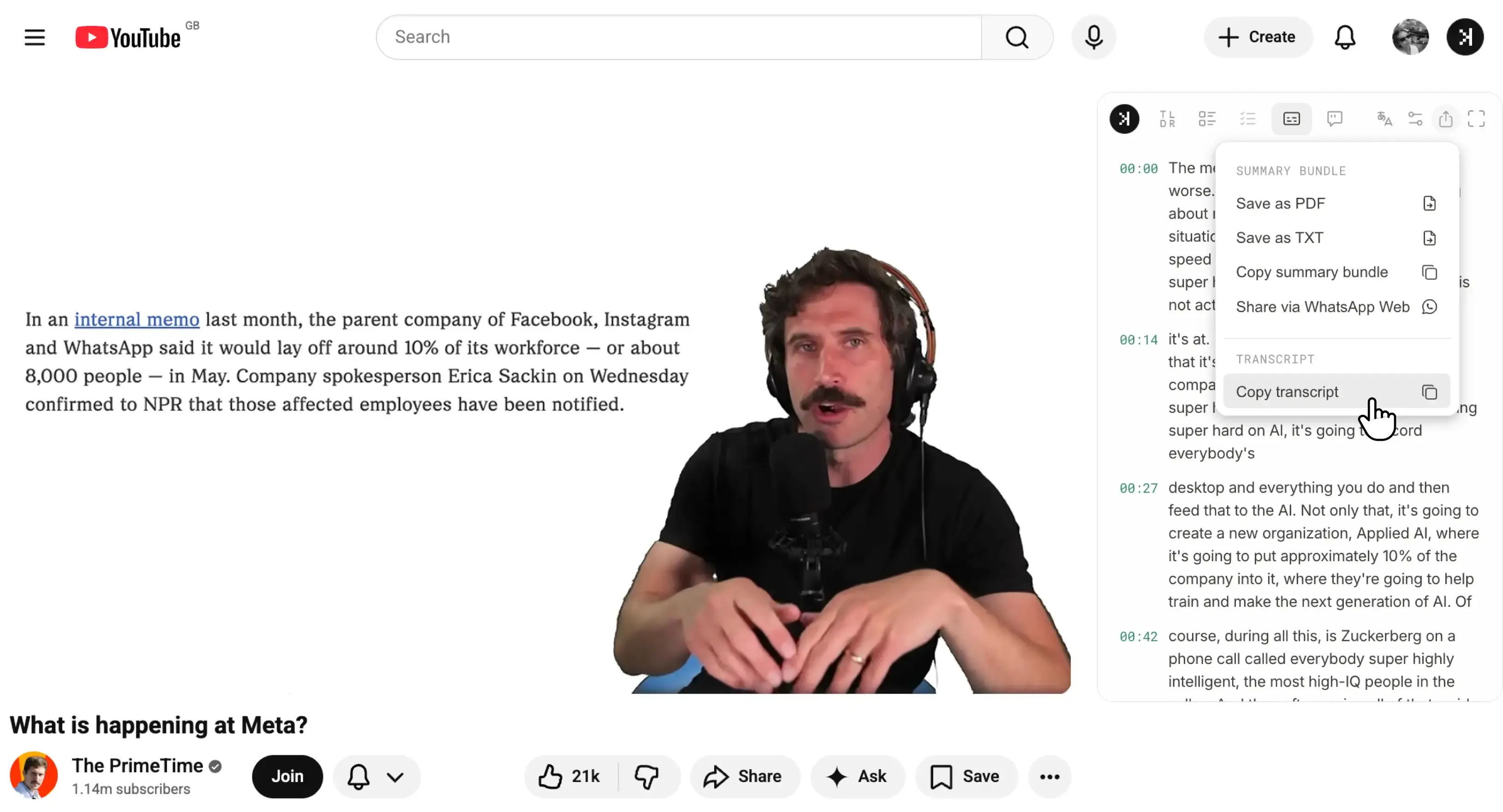
Copy transcriptCopy raw transcript to clipboard

If you are not looking to turn YouTube video into notes and simply need the full transcript? Choose copy transcript from the dropdown.
Export your first YouTube PDF on the free tier.
How to try SkipBait in 2 steps
- Install the extension from Chrome Web Store.
- Open a YouTube video and export the summary as a PDF from the dropdown.
Also built into SkipBait: timestamped AI summaries, honest actionable to-dos, and web-powered chat