
The Eightify free plan includes 1 summary per day. SkipBait free includes 2 AI summary bundles daily, unlimited transcript retrieval and limited chat messages and summary translation that resets monthly. See exact Free tier comparison above.
Eightify Alternative 2026: SkipBait vs Eightify
Updated June 12, 2026

Eightify AI and SkipBait both summarize YouTube quickly right next to the YouTube video you are watching.
This is an honest comparison between Eightify YouTube summarizer and SkipBait YouTube summarizer, including free tier and paid tiers limits so you can judge both functionality and pricing.
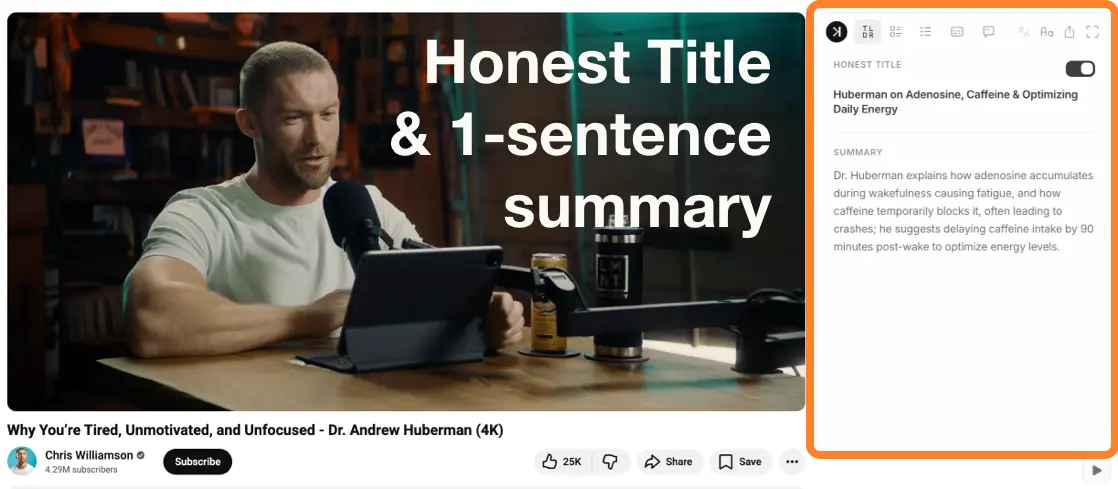
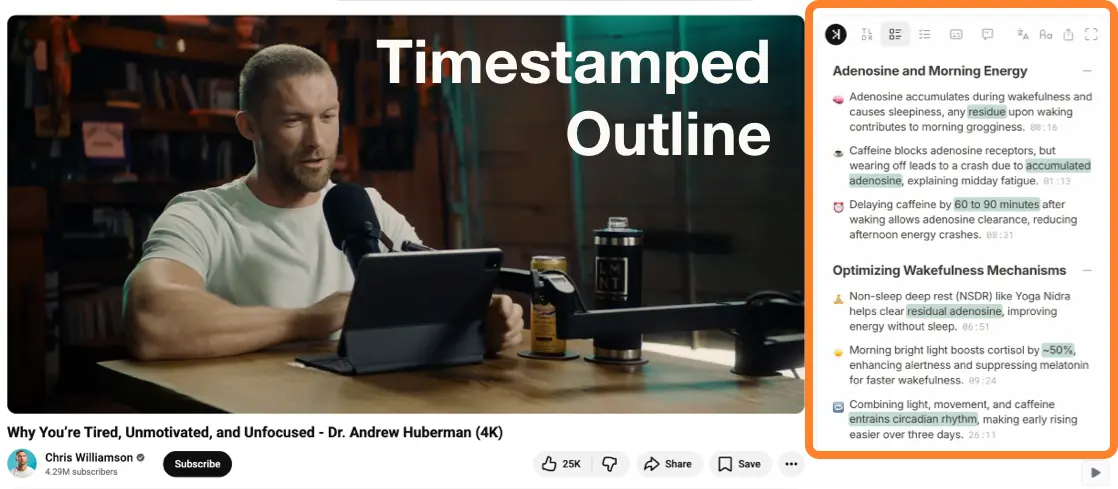
Eightify lets you steer tone, format, and length, then packs detail into compact sections. SkipBait structures the summary into a bundle, consistently outputting honest title, TL;DR, timestamped summary, actionables with dedicated tabs for each section. Some people prefer one style; some prefer the other.
Quick take
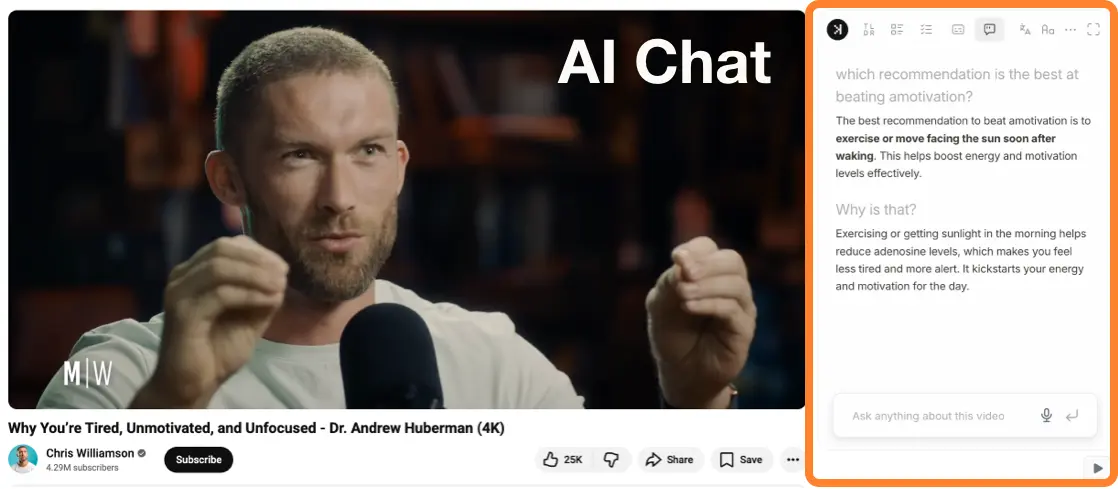
Both are fast, offer unlimited summaries, offer clear flat rate over credit-based billing. Eightify lets you customize tone and compresses summary into fewer blocks. SkipBait structures summary into TL;DR, timestamped sections, actionable to-dos. SkipBait also has AI chat with web search capabilities so it can answer questions beyond the scope of the video.
At a glance
Eightify | SkipBait | |
|---|---|---|
| UI | 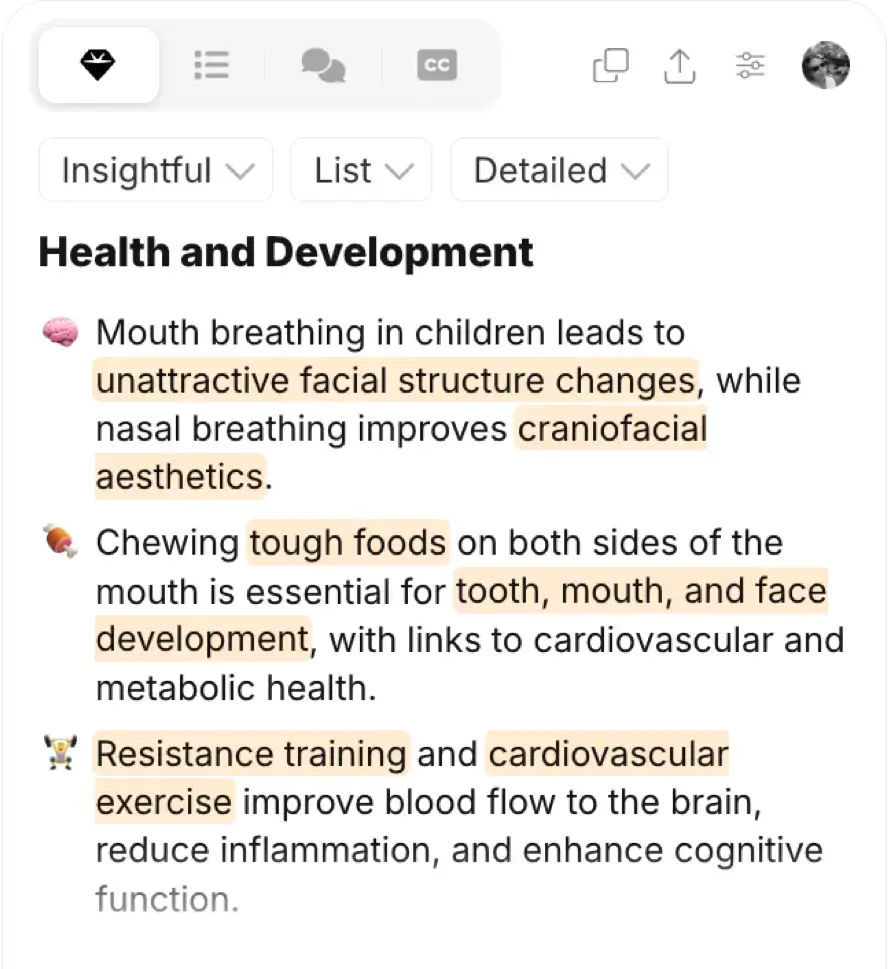 | 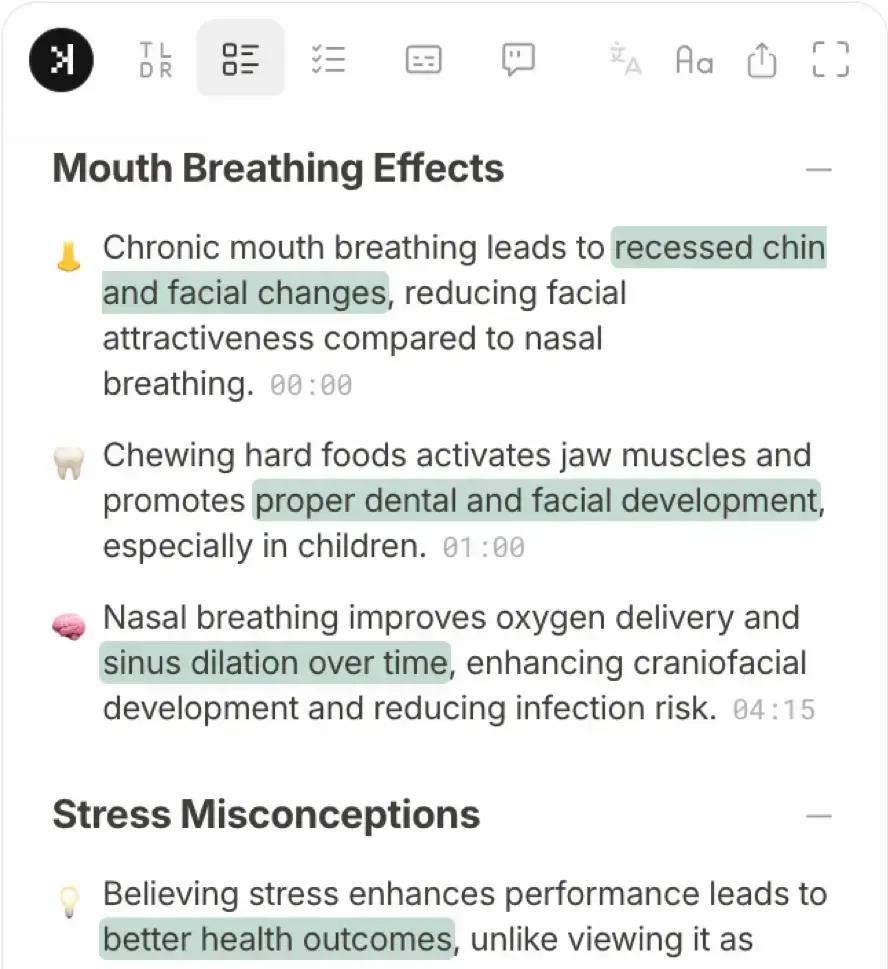 |
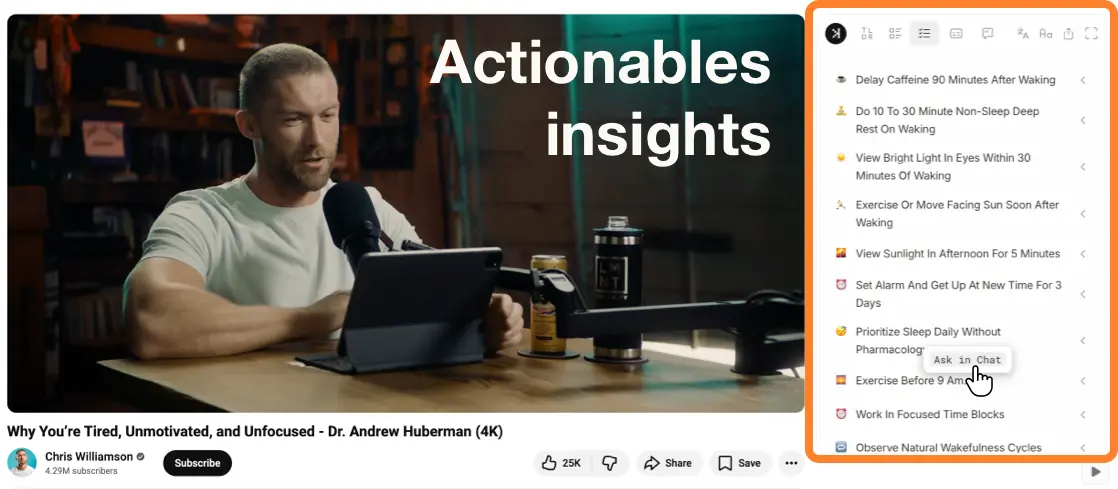
| Actionables | 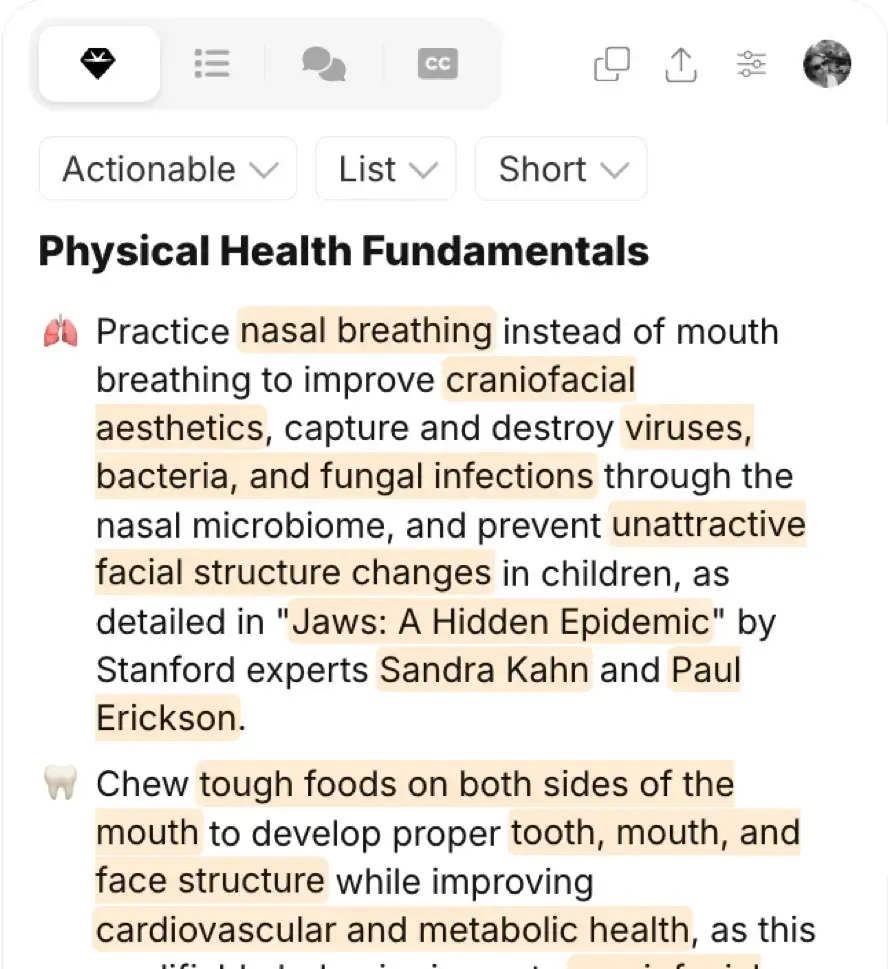 Rewrite paragraphs from an actionable angle. Timestamps only in the outline, not key takeaways. | 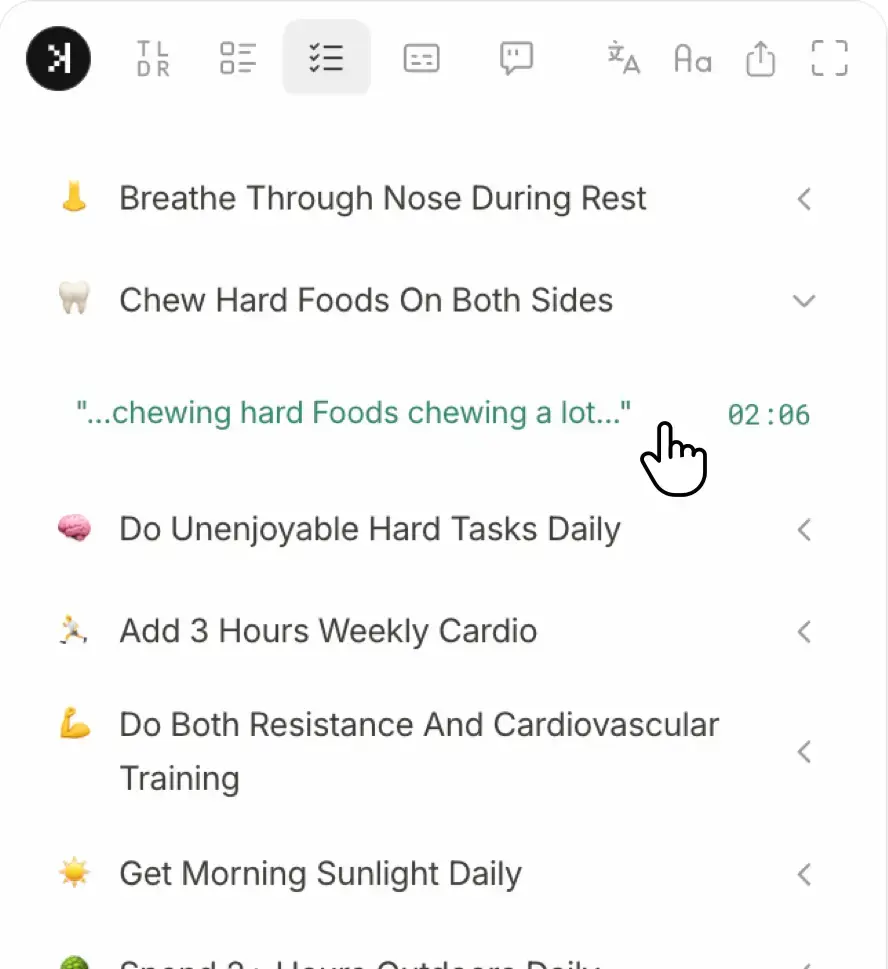 Actionable to-dos linked to the exact moment — click any one to jump to where it was said. |
| What it includes |
|
|
| Summaries history | Access of recent generated summaries with dropdown. | |
| View mode | 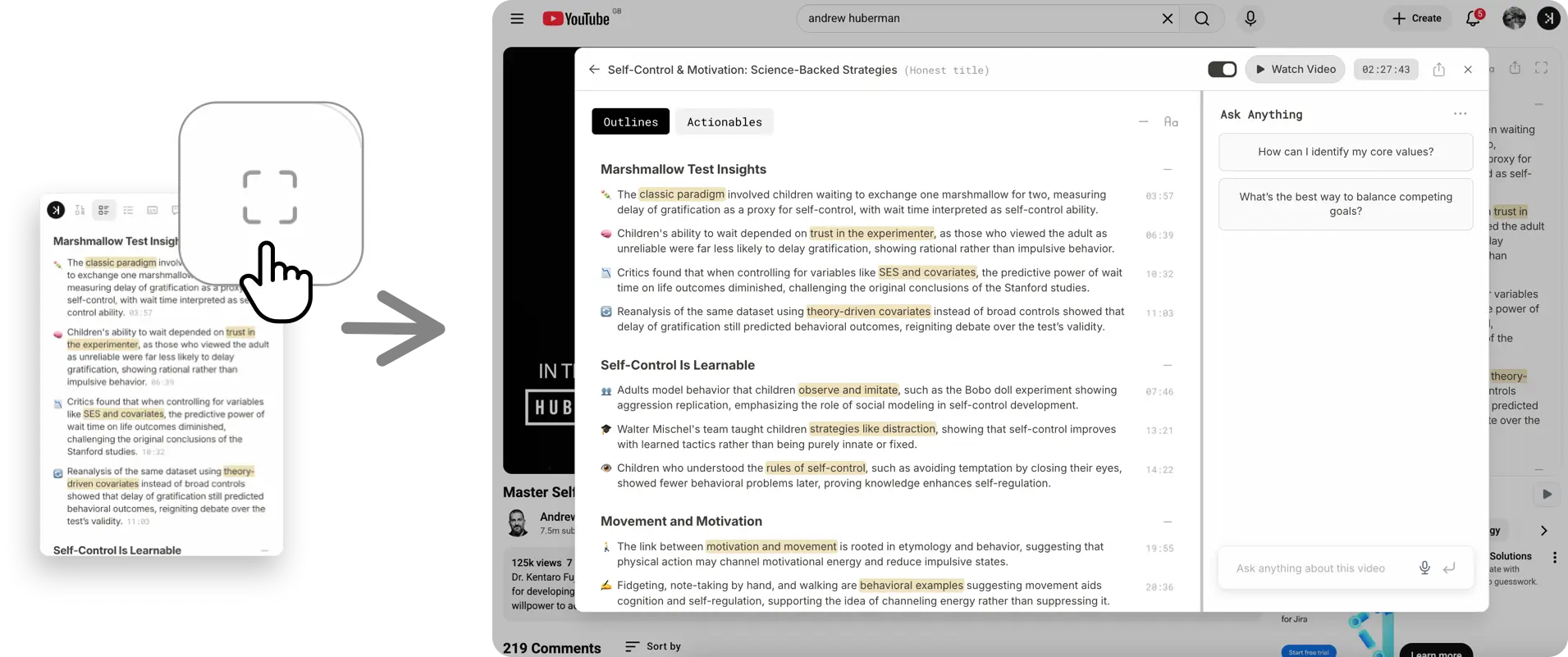 Compact & expanded view modes | |
| Follow-up | Click any takeaway or actionable to drop it into AI chat — ask a follow-up without retyping. | |
| AI Chat + web search | AI chat with web search — answers beyond the transcript, included on the $9.99/mo plan. | |
| Honest title | Rewrites clickbait into honest title. | |
| Comment analysis | Dedicated tab for top comments TL;DR analysis. | Chat can analyze top comments. |
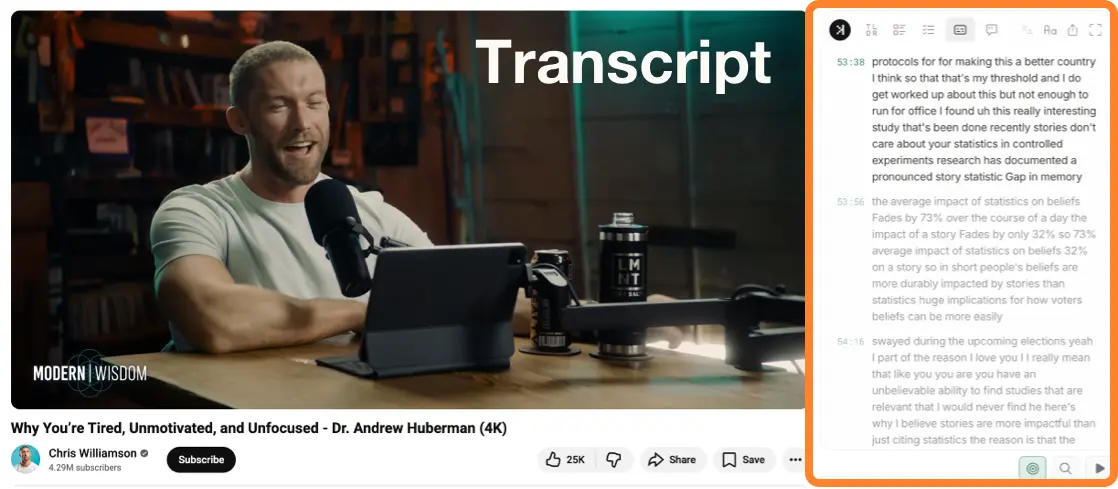
| Transcript | Static transcript text block — no search or follow-along. | Searchable transcript that follows along as the video plays. |
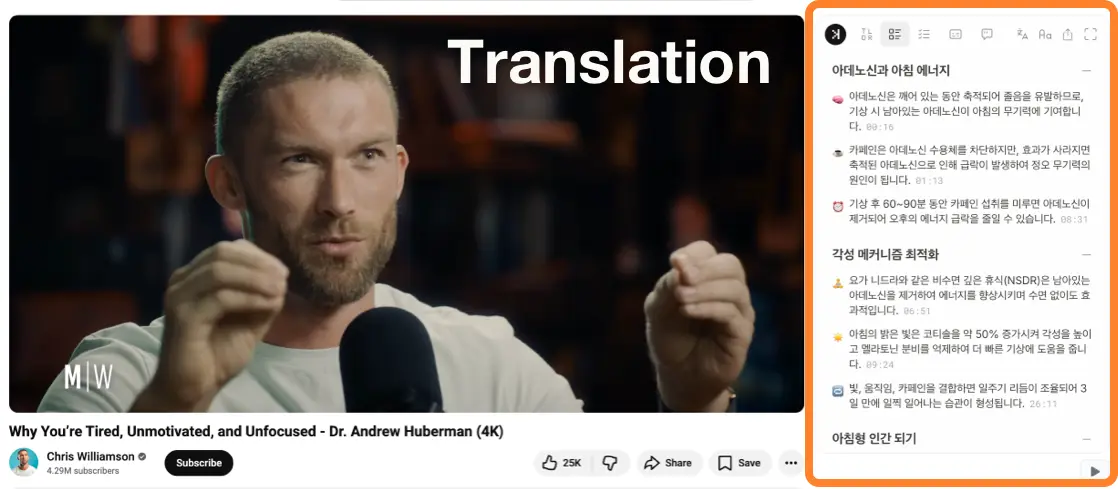
| Summary & Transcript Translation | Supports 40+ languages. | Supports 20+ languages. |
| Free tier | 1 AI summary per day. 1 transcript (same video). | 2 AI summary bundles per day. Unlimited transcripts. Monthly chat and summary translation quota. |
| Paid plans | $9.99/mo Unlimited summaries. | $9.99/mo Unlimited summaries + AI chat with web search (300 messages). $13.99/mo Unlimited summaries + AI chat with web search (600 messages). |
Why people look for an Eightify alternative
The most common reasons users switch away from Eightify fall into four categories:
The summary is one-way
Eightify hands you a block of text and stops there. If you want to dig into a point, you're on your own and likly context switching — there's no way to ask a follow-up about a specific takeaway easily.
The transcript is read-only
Eightify's transcript is a static block of text. You can't search it for a word or follow along as the video plays.
Takeaways aren't linked to the moment
Eightify's timestamps live in its outline, not its key takeaways — so a useful point doesn't take you back to where it was said.
Summaries disappear once you move on
With Eightify, once you've closed a video there's no easy way back to a summary you already generated — you re-run it. SkipBait keeps a dropdown of your last 25 summarized videos for quick re-access.
When Eightify is the better fit
- You want to customize the summary tone, output format, and length.
- You prefer the summary to be presented in a single text block with dense highlighting.
- You want a TL;DR for comment analysis.
- You need summaries and transcripts in 40+ languages.
When SkipBait is the better Eightify alternative
- You want actionable to-dos linked to the exact moment they come from — click any actionable to jump to where it was said and verify it in context.
- You want an easy way to ask follow-ups to any takeaway or actionable points. Simply click to drop it into AI chat. No need to retype.
- You want a transcript you can search and follow-along to, not a plain text block.
- You want unlimited summaries with AI chat, not just unlimited summaries at the same price point.
- You want to be able to view your last 25 summarized videos.
- You want summary and transcript translation in 20+ languages.
- You want an honest title for video.
How to try SkipBait in 2 steps
1. Install SkipBait Chrome Extension.

2. Visit a YouTube video to enjoy SkipBait features.
Frequently asked questions
You can, but most people pick one primary summarizer to avoid duplicate buttons and limits. Try SkipBait on a video you would normally send through Eightify and compare the bundle side by side and see which one works better for you.
Both handle long videos, but the free tiers differ. On SkipBait's free plan, summaries cover videos up to 30 minutes; paid plans unlock summaries for videos up to 12 hours. Which is "better" comes down to the output you prefer — Eightify's customizable text block, or SkipBait's structured bundle with actionables, searchable transcript, and web-grounded chat.
SkipBait uses YouTube's available transcript data. For videos with auto-generated captions or manual subtitles, it works immediately. For videos with no captions at all, transcript and summary generation is not available — the same limitation applies to Eightify and most YouTube summarizer extensions.
SkipBait rewrites the video's original title into a plain description of what the video actually covers, removing clickbait framing. For example, a title like "I tried THIS and my life changed forever" becomes a factual summary of what was actually tested and the outcome. Eightify does not have this feature.
Yes. SkipBait's AI chat is not limited to the video transcript. If your question goes beyond the video — current statistics, follow-up research, context on a person mentioned — the chat can search the web and return a sourced answer from the watch page. Eightify does not include AI chat.
Yes. SkipBait works on any Chromium-based browser — Chrome, Brave, Edge, Arc, Opera, and Vivaldi all support Chrome Web Store extensions. Install from the Chrome Web Store. Firefox and Safari are not supported.
Both start at $9.99/month for unlimited summaries. At that tier, SkipBait also includes AI chat that can search the web, while Eightify's plan focuses on summaries and comment analysis.
Yes. Both tools summarize YouTube videos directly on the watch page without pasting transcripts into a separate tool. Where they differ is what happens after the summary. Eightify gives you a single customizable text block. SkipBait outputs a structured bundle — honest title, TL;DR, timestamped outline, actionable to-dos, and a transcript with follow-along search — plus an AI chat that can search the web to answer questions beyond the video. Not ready for an extension? Our guide to summarizing YouTube videos with AI covers manual ChatGPT and Claude workflows too.