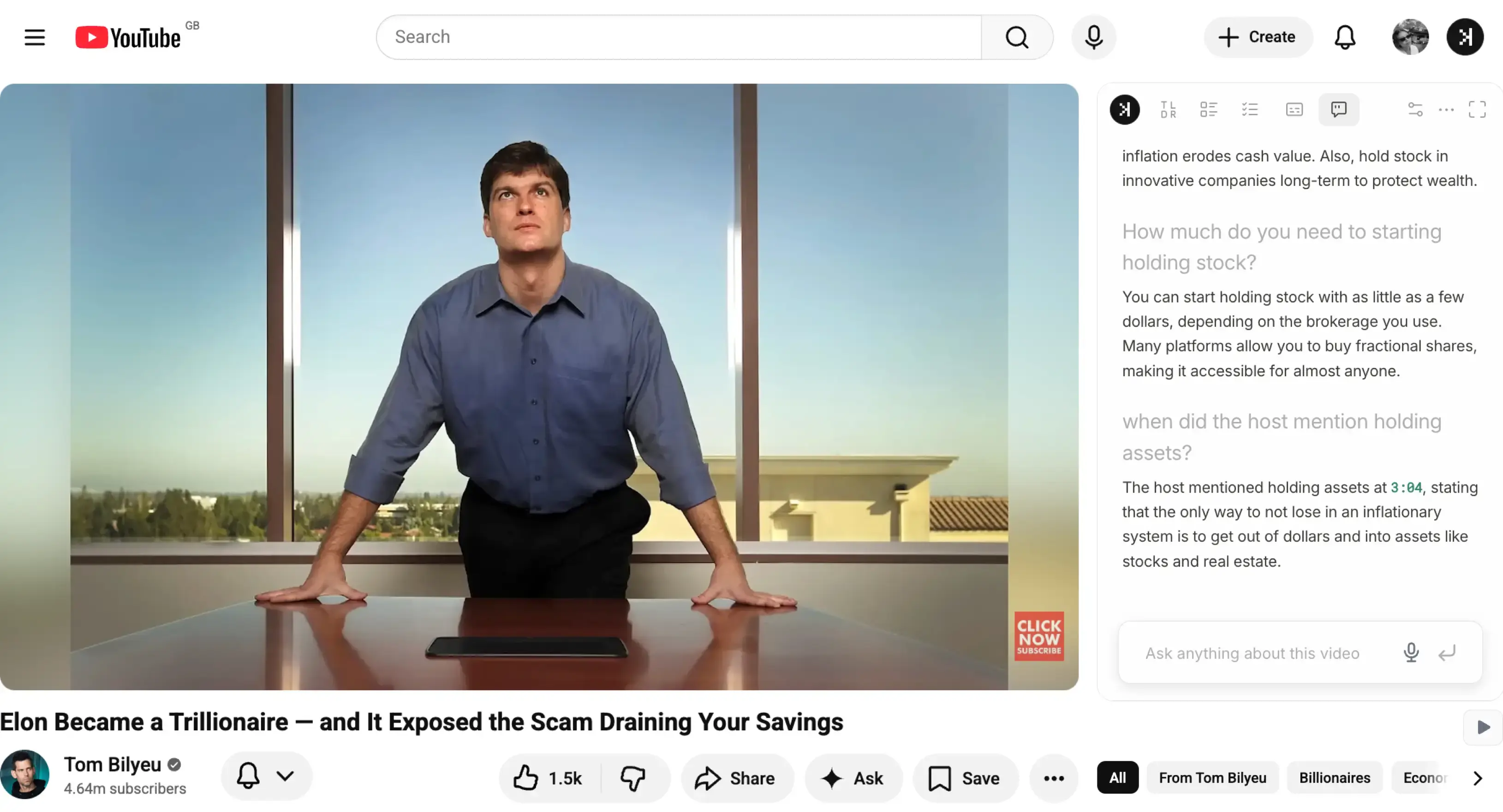
Chat with YouTube videos without copying transcripts into ChatGPT or another tab.
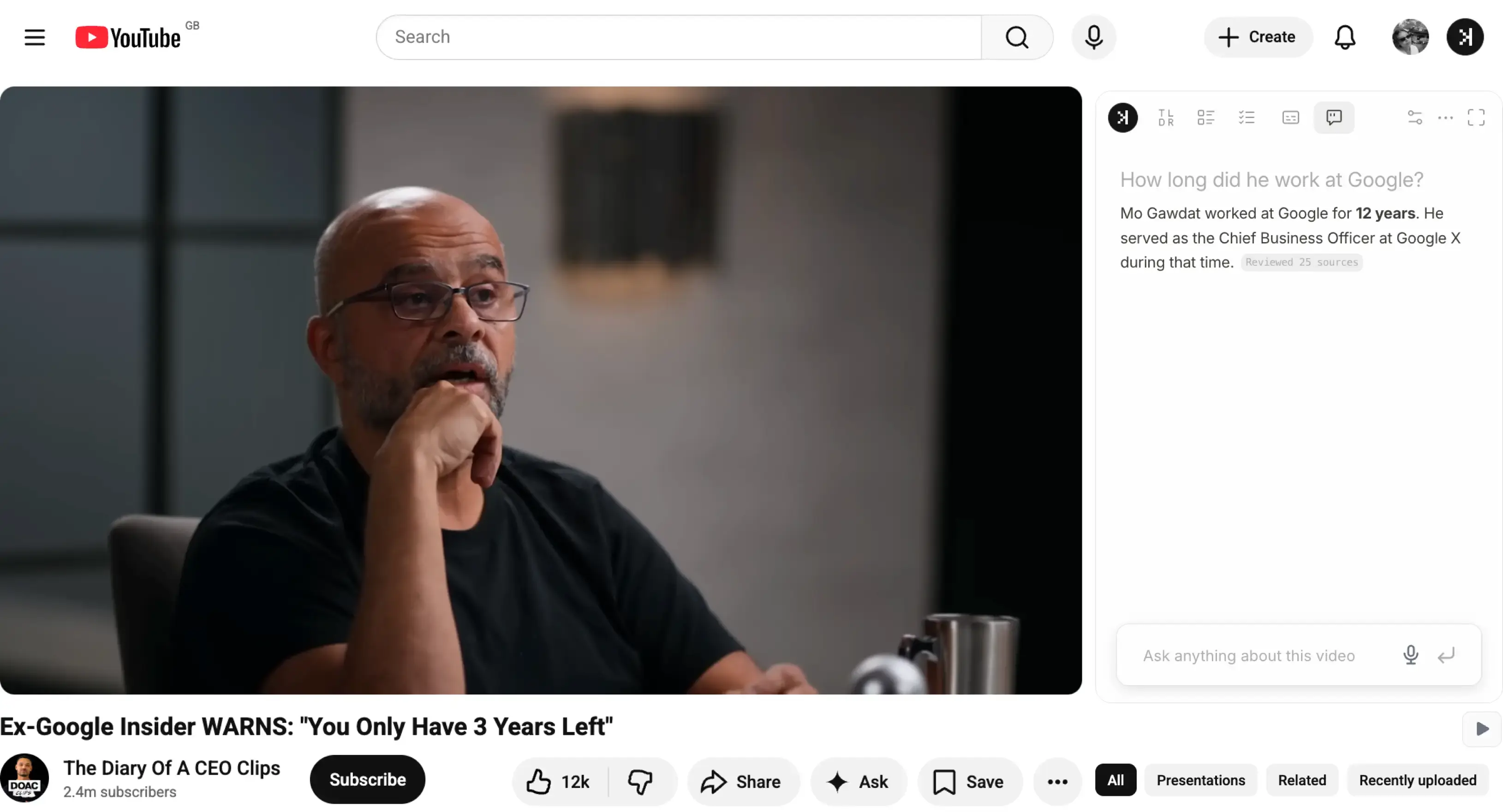
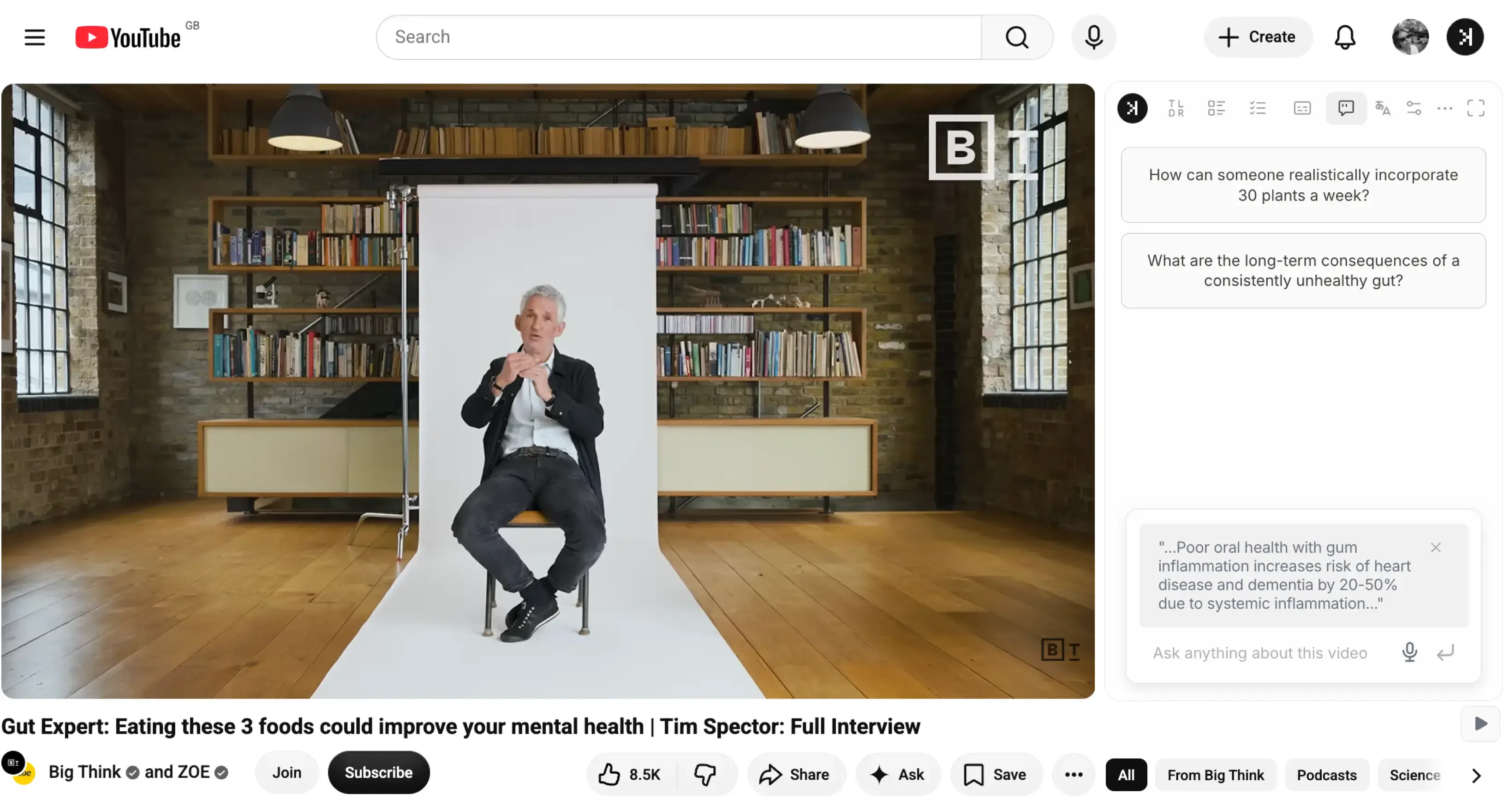
Simply visit the YouTube video and type in the Chat tab to chat with any YouTube video. Ask questions about claims or speaker's background and SkipBait AI Chat searches the web for verification.
Instantly get answers from YouTube videos directly on the watch page. Use SkipBait's Chat tab to ask questions to get instant answers back not only by the transcript, but also by web-searched sources.
Runs on the YouTube watch page
No copy-paste-URL or copy-paste-transcript workflow
Grounds replies in the video transcript
AI searches the web when your question goes beyond the clip
Links to timestamps so you can jump to the cited moment
Expandable panel when you want to focus on discussion
Who it's for
ResearchersStudentsProfessionalsLanguage learners
Skim long talks and jump to the moments that matter — with timestamps to verify claims, names, and data points.
Open lectures and tutorials on the watch page. Read along, search for key terms, and build notes faster.
Pull takeaways from webinars and interviews without rewatching the full recording.
Translate the transcript to 20+ languages, read along as the video plays, and replay lines when you want the exact phrase repeated.
Save hours on long videos
You do not need to scrub a 2-hour-long lecture or interview to find one answer. Ask in the Chat tab and get the answer in seconds plus timestamp links to the moments that support the answer when relevant.
Course lectures and deep-dive explainers
Panel talks and interview-style podcasts
Workshop replays and conference sessions
Product comparisons when you only need one takeaway
Research videos when you are chasing a single claim
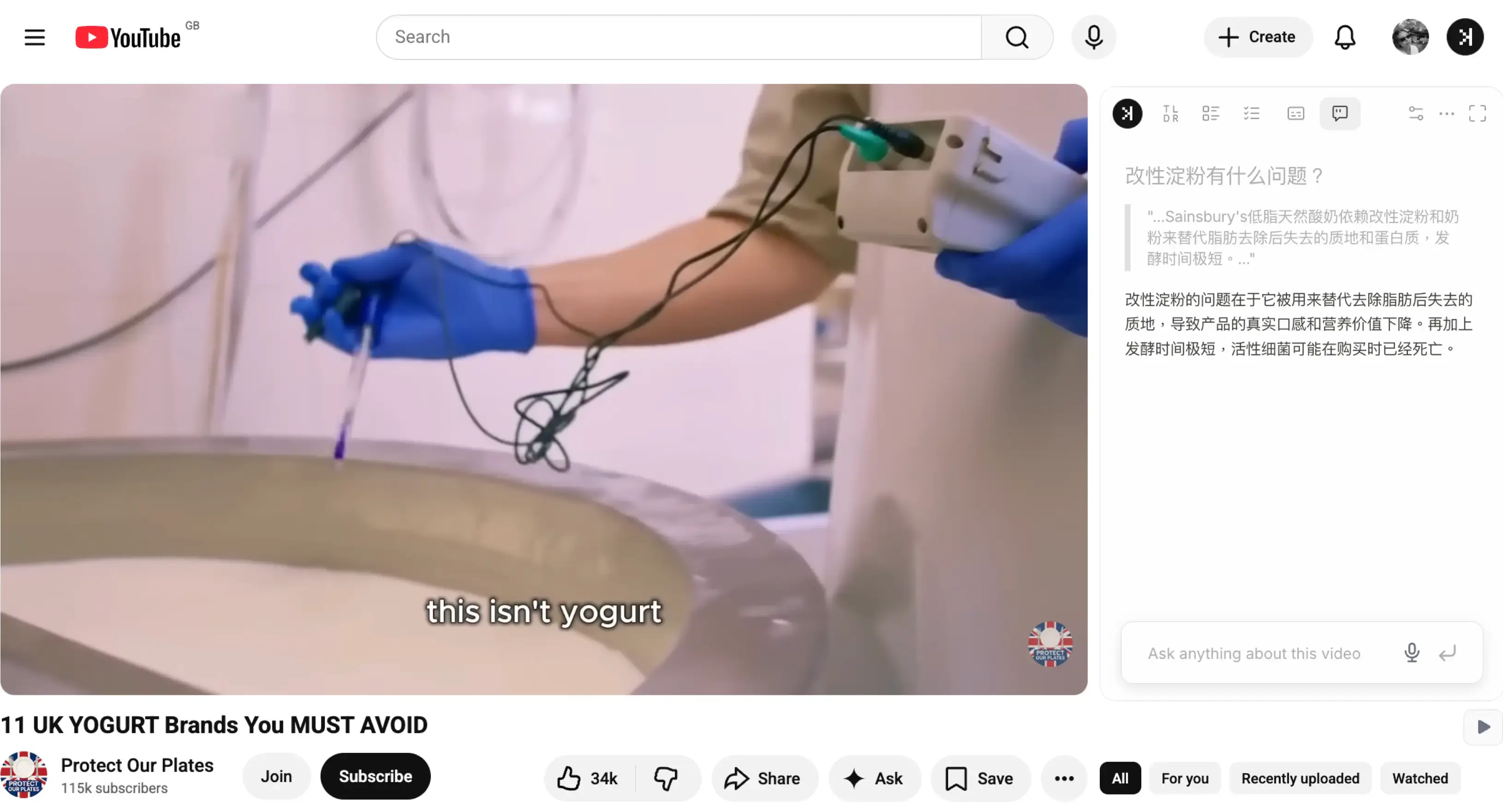
Chat in 50+ languagesNo need to switch languages, just ask
Chat to YouTube in any language regardless of the video language. Simply ask questions in your preferred language to get started.
Ask beyond the transcriptAI Chat that can watch videos and search the web for answers
Not every answer lives in the transcript. When you ask a question beyond the scope of the transcript, SkipBait AI Chat searches the web to look at web sources before responding. All sources reviewed or used to answer your quesiton are also visible for you to look at.
Chatting with YouTube videos means asking an AI questions about a video's content and getting answers back, instead of watching the whole thing to find what you need. You are not talking to the video itself — you are talking to an AI that has read the video's transcript.
1
Transcript pulled
SkipBait reads the spoken text from the video — everything the speaker actually said.
2
AI answers from the source
Your question is answered from that transcript, with timestamp links to the exact moment each point came from when relevant and does not reduce readability.
3
Sourced web answers
When a question goes beyond the video's content, the chat searches the web and returns with all reviewed sources so you can verify the answer — without leaving the watch page.
In short, SkipBait is an AI chatbot that can watch videos — by reading the transcript — and answer questions about them. You ask AI about a video the way you'd ask a person who'd watched it, and when a question goes beyond the video, the chat searches the web and shows the real sources it used, so you can verify the answer.
Never wonder what to ask
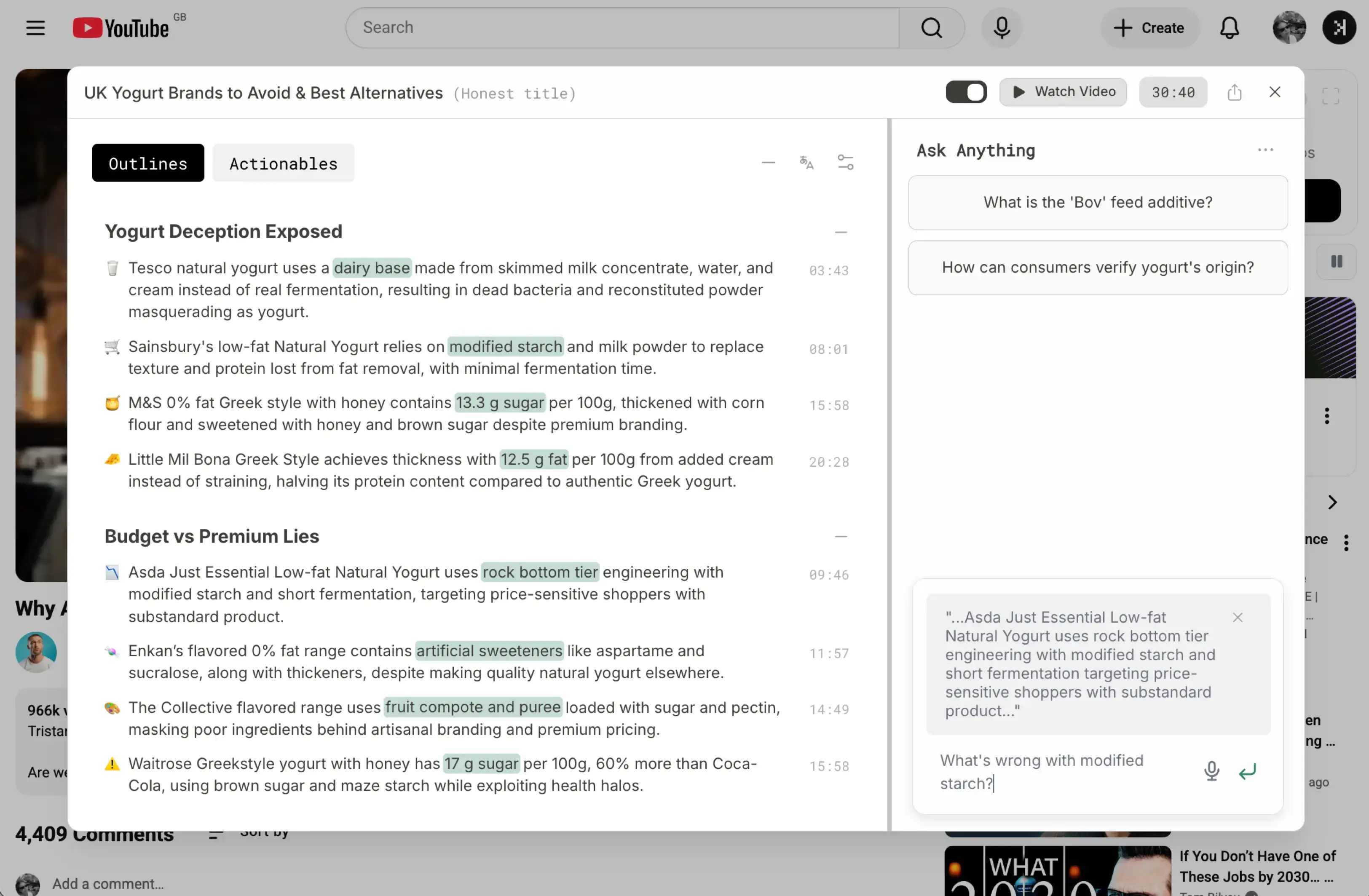
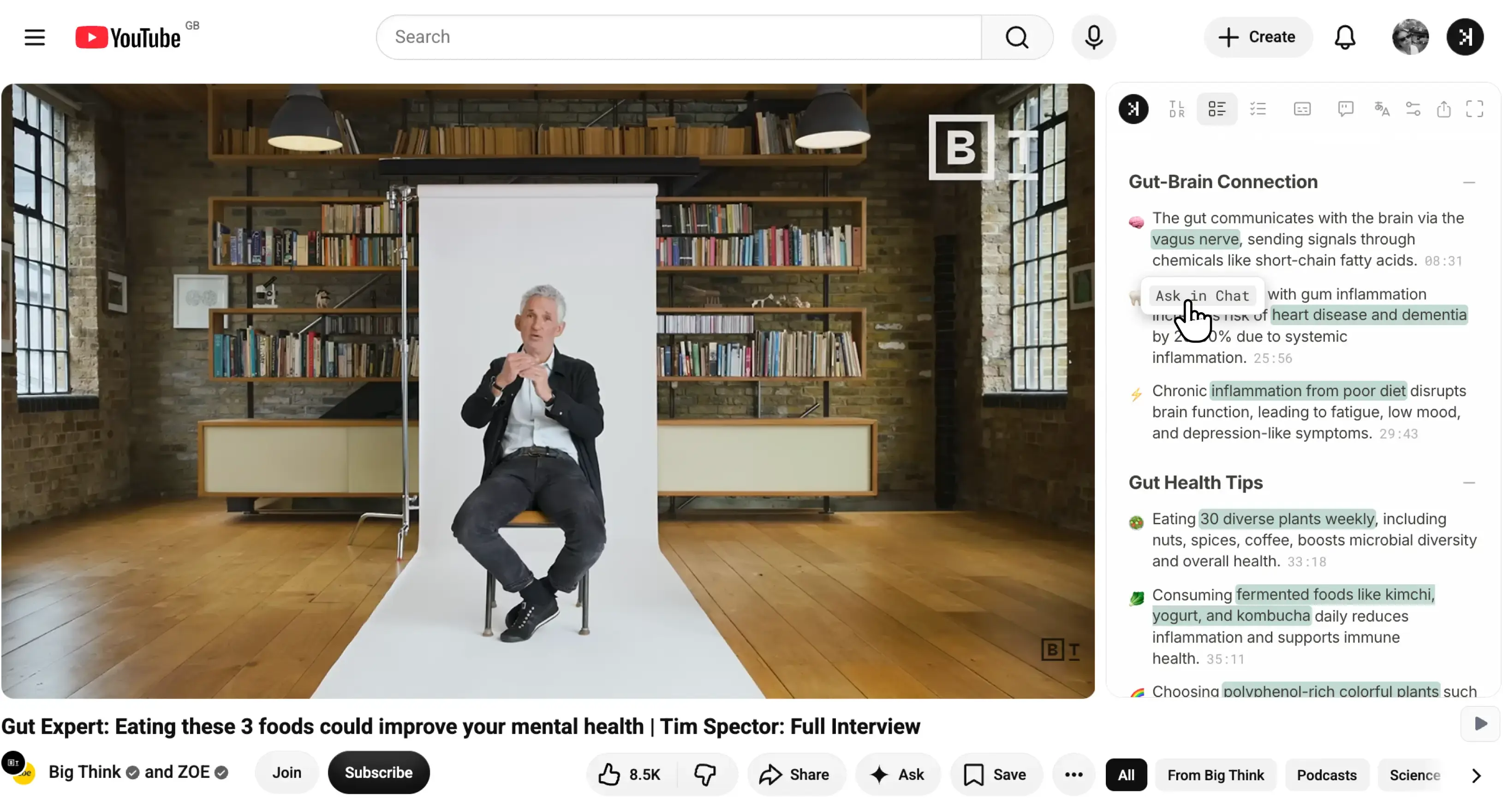
A blank chat box has a problem: faced with one, most people don't know what to ask. SkipBait starts the other way around — it gives you a structured breakdown of the video first, so the questions worth asking are already in front of you.
Click Generate Summary Bundle to unlock three tabs:
TLDRAn honest title and a one-sentence summary of what the video is really about.
OutlineA sectioned, timestamped breakdown — each key point linked to the moment it was said.
ActionablesA scannable list of recommendations and to-dos, each tied to a timestamp.
Now you're not staring at an empty box. You're reading specific points — an outline takeaway, an actionable to-do — and the one that catches your eye becomes your question.
Click any point, and an “Ask in Chat” button appears. Tap it, and that point drops straight into the chat as context — so you ask about it directly, without retyping or explaining which part you mean.
And when a question goes beyond what the video covered — checking a claim, looking up a name, getting current context — the chat searches the web and shows the real sources it used, so you can verify every answer rather than taking it on faith.
How to get answers from a YouTube video
There are two ways to ask AI questions about a YouTube video — using a dedicated AI tool to ask questions about a YouTube video on the watch page, or copying the transcript into a general chatbot yourself.
Manual route
With AI chatbots
1. ChatGPT or Claude
Copy the transcript for the video using any online transcript generator tool or SkipBait's free web tool.
Open ChatGPT or Claude.
Paste the transcript and your question relating to the video.
2. YouTube's Ask
YouTube has its own AI Ask feature powered by Gemini. You can usually find it below the video. If you see an Ask button, click it to open a side panel to ask any questions.
One-click route
With SkipBait
Install SkipBait extension from the Chrome Web Store Once.
Open any YouTube video and ask any questions in the chat tab.
You can find specific moments in the video by searching the transcript for keywords or use the chat to point you to a moment by meaning.
Not directly. ChatGPT cannot watch or listen to a video — it works from text. To use it on a YouTube video, you have to copy the transcript and paste it in, and even then it only sees the text you give it, with no timestamps and no web search. SkipBait does this on the watch page automatically, grounds answers in the transcript with timestamp links, and when a question goes beyond the video, the chat searches the web and shows the real sources it used, so you can verify the answer.
Tools built for this read a video's transcript and answer questions from it — SkipBait is one, and when a question goes beyond the transcript it searches the web and shows the real sources behind the answer. General chatbots like ChatGPT or Gemini can't open a YouTube link and watch it on their own; they need the transcript pasted in. SkipBait runs on the YouTube watch page, so there's no copying or tab-switching.
You can ask anything the video touches on — "what are the main points?", "what did they say about pricing?", "summarize the second half", or "what's the counterargument here?". Specific questions get specific answers, and each reply links to the timestamp it came from. For questions that go past the video, like checking a claim or a name the speaker mentioned, the chat searches the web and shows the real sources it used, so you can verify the answer.
It works right on the YouTube watch page — no pasting a URL into a separate site. Open any video and the chat panel is there beside the player.
It works on any YouTube video that has a transcript or captions available — which is the large majority. Videos with no transcript, or live streams without captions, may not be supported.
Yes. The free plan includes unlimited transcripts, daily summary bundles, and a set number of chat messages that resets monthly, plus a stretch of unlimited access when you start. Paid plans lift the limits for heavier use.
You can ask questions and get answers in 50+ languages, so you can chat with an English video in your own language and read the reply in the language you're most comfortable with.
Yes. Long videos are where chatting helps most — instead of scrubbing a two-hour lecture or podcast to find one point, you ask and get the answer in seconds with a timestamp link to the moment it came from.
Yes — studying and research are the most common uses. Students ask lectures and tutorials to clarify a concept and jump to the moment it was explained; researchers screen long talks and documentaries by asking targeted questions instead of watching in full, then verify claims with the web search built into the chat. The timestamp links make it easy to cite or revisit the exact source.
YouTube's built-in assistant is handy when it's available. SkipBait is built around a structured workflow: you get a TLDR, a timestamped outline, and an actionable to-do list first, then turn any point into a question with one click, and the chat shows the real sources behind any web-backed answer. It also works across videos and lets you export the transcript and summary to use elsewhere.
Answers are grounded in the video's transcript and link to the timestamps they came from, so you can verify each one against the source. When a question goes beyond the transcript, the chat searches the web and shows the real sources it used, so you can verify the answer, rather than taking it on faith. As with any AI, it's worth checking timestamps for anything important.
Yes. Beyond a plain summary, you can ask the AI to break down arguments, pull out action items, compare points, or explain a section — analyzing the video's content through the transcript, with timestamps so you can jump to the source.
It relies on the video's transcript, so it can't answer about things shown only on screen with no spoken description — a silent diagram or an unspoken visual gag, for example. Videos without any transcript or captions aren't supported. And while answers are grounded in the transcript and link to timestamps, AI can still misread context, so it's worth checking the cited moment for anything important.
SkipBait works on any Chromium-based browser — Chrome, Edge, Brave, Arc, Opera, and Vivaldi all install Chrome Web Store extensions. Firefox and Safari are not supported.