View transcript on YouTube without the extra step of digging through YouTube description menus for every single video.
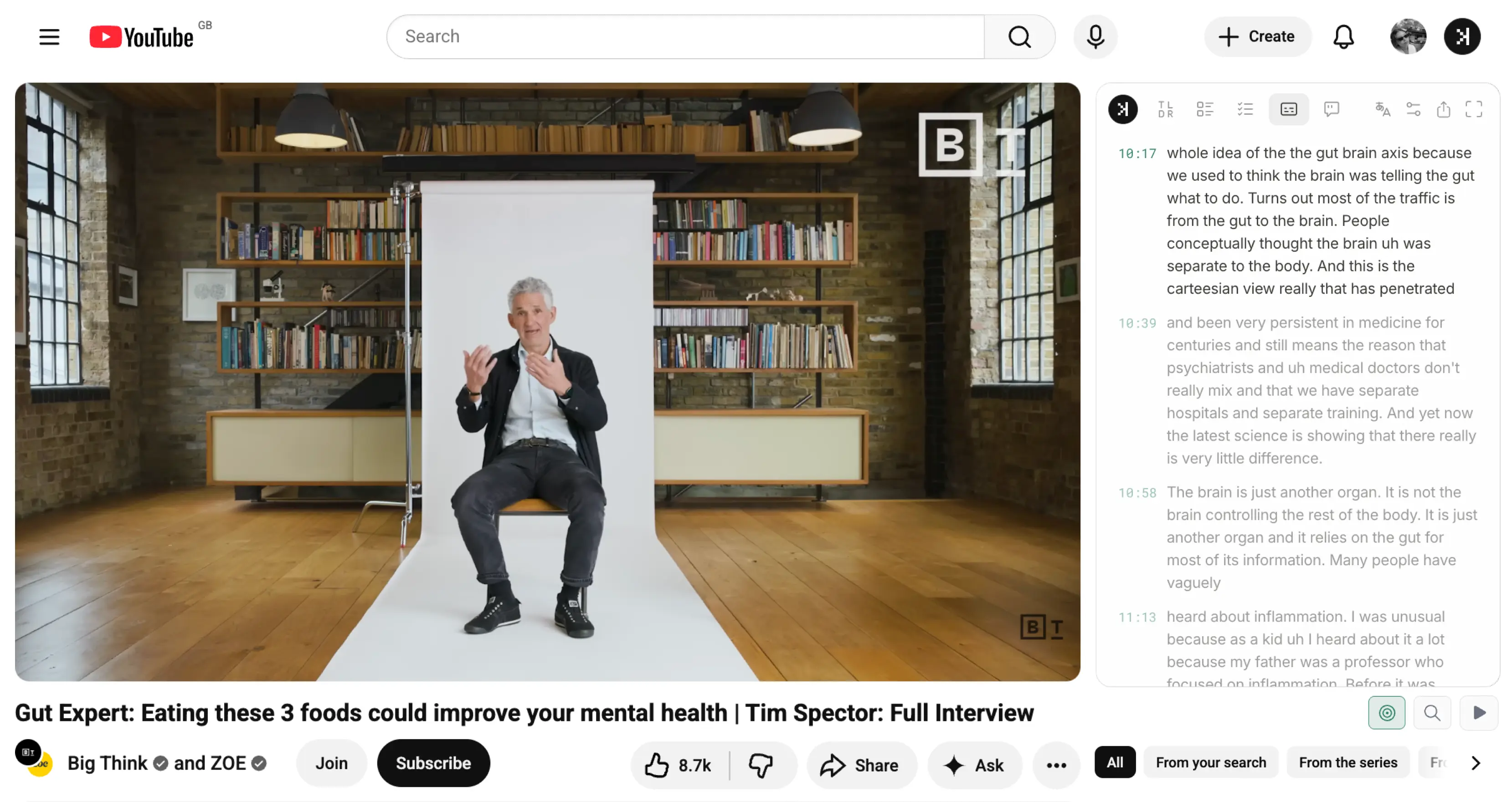
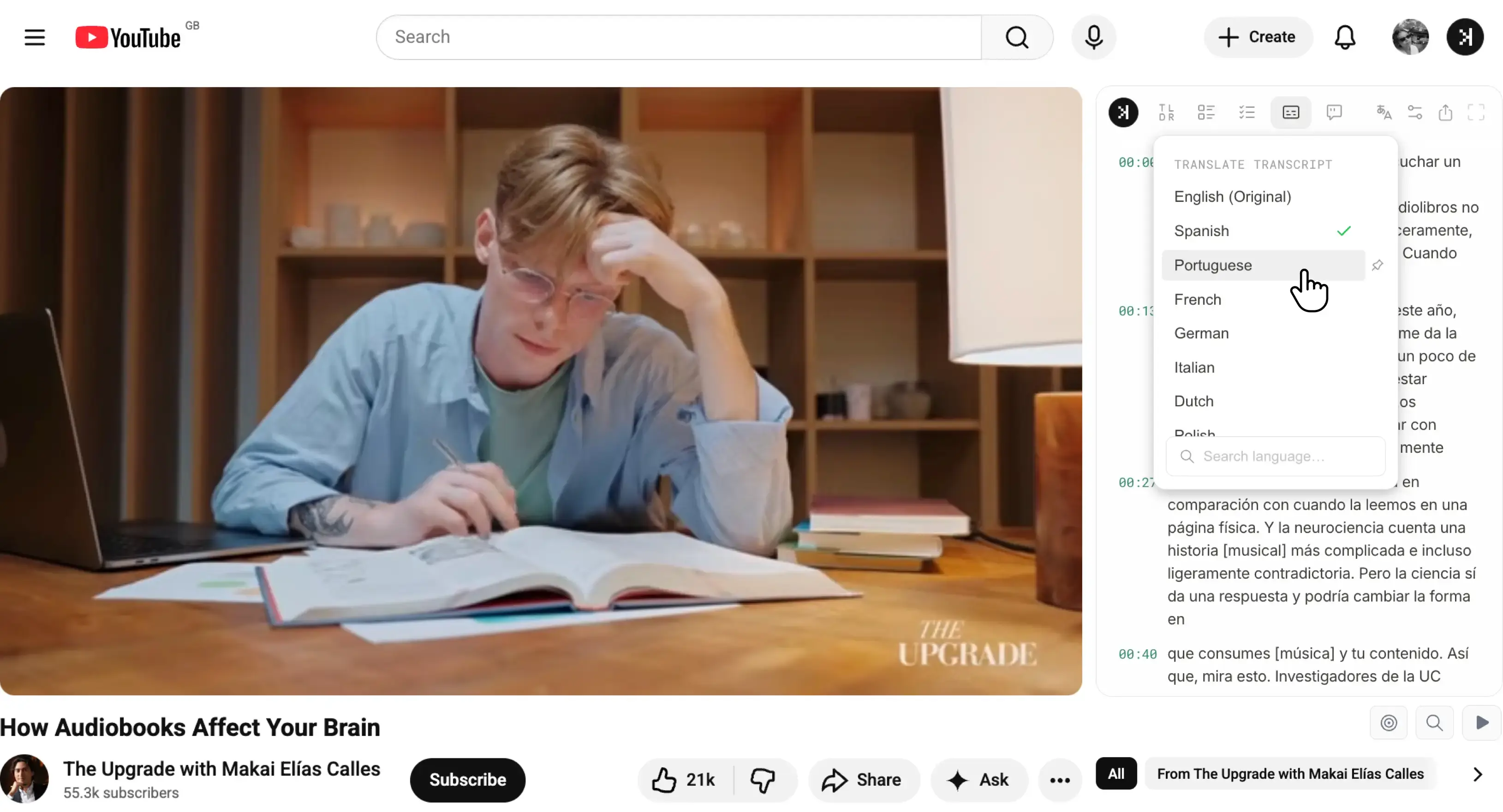
Simply visit the YouTube video. SkipBait's side panel is automatically loaded when you land on the watch page for you to view the full transcript. Pair with other features like auto scroll while video plays, jump to timestamps, export, or translation into 20+ languages.
SkipBait YouTube transcript panel loads automatically next to the video as you land on the watch page so you can view transcript on YouTube smoothly without manual set up for every video.
Automatically loaded when you land on the watch page
No copy-paste-URL workflow to get the transcript
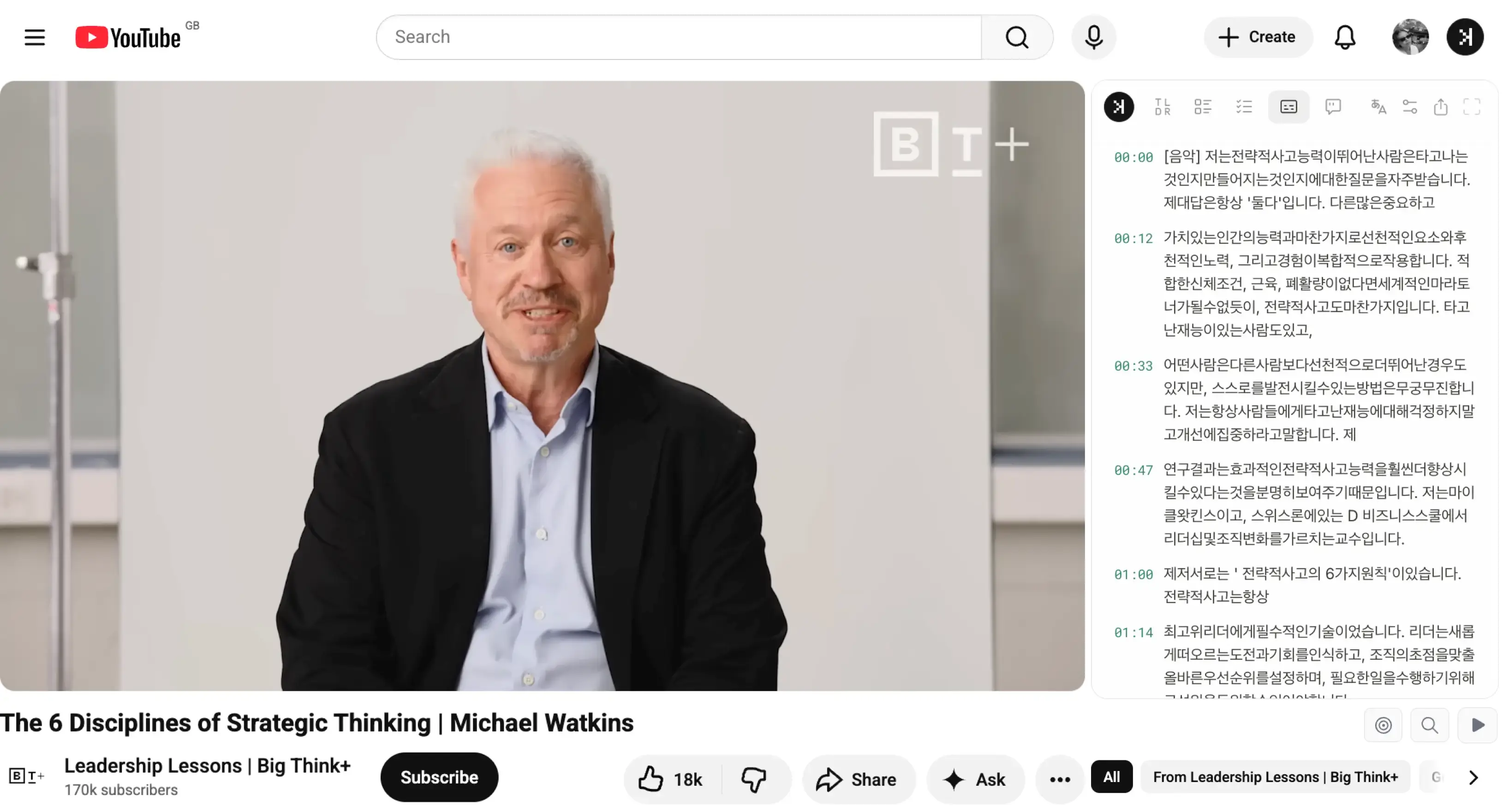
Translate transcript to 20+ languages
Follow along while video plays
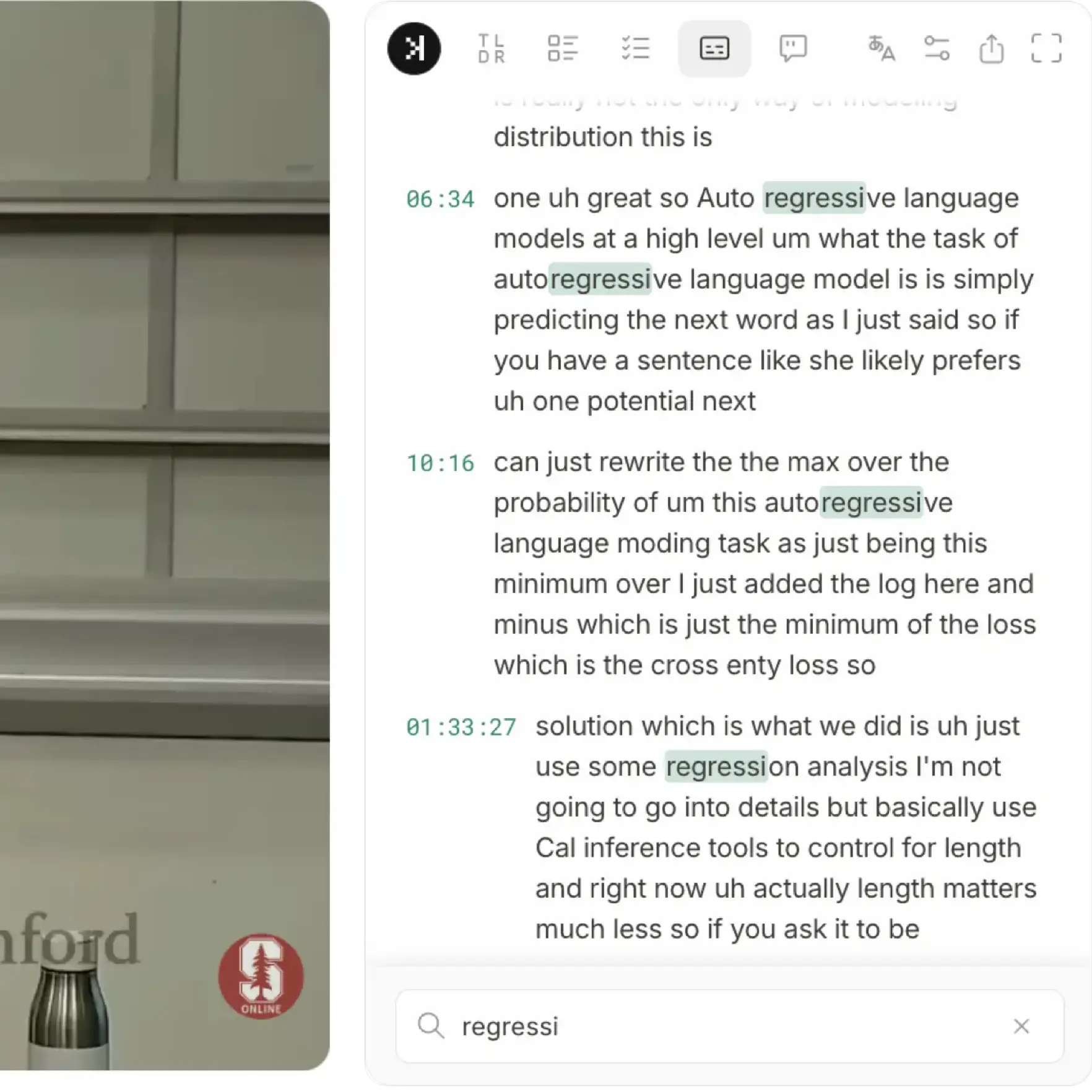
Search through transcript text easily
Who it's for
ResearchersStudentsProfessionalsLanguage learners
Skim long talks and jump to the moments that matter — with timestamps to verify claims, names, and data points.
Open lectures and tutorials on the watch page. Read along, search for key terms, and build notes faster.
Pull takeaways from webinars and interviews without rewatching the full recording.
Translate the transcript to 20+ languages, read along as the video plays, and replay lines when you want the exact phrase repeated.
YouTube Transcript in 20+ languages
Designed with non-native English speakers in mind, translate transcript to your native language.
Get translated transcript in seconds
Transalte to your native language for easier reading
Translate to a foreign language for language learning
Supports a growing list of major languages
Search through transcript in your native language
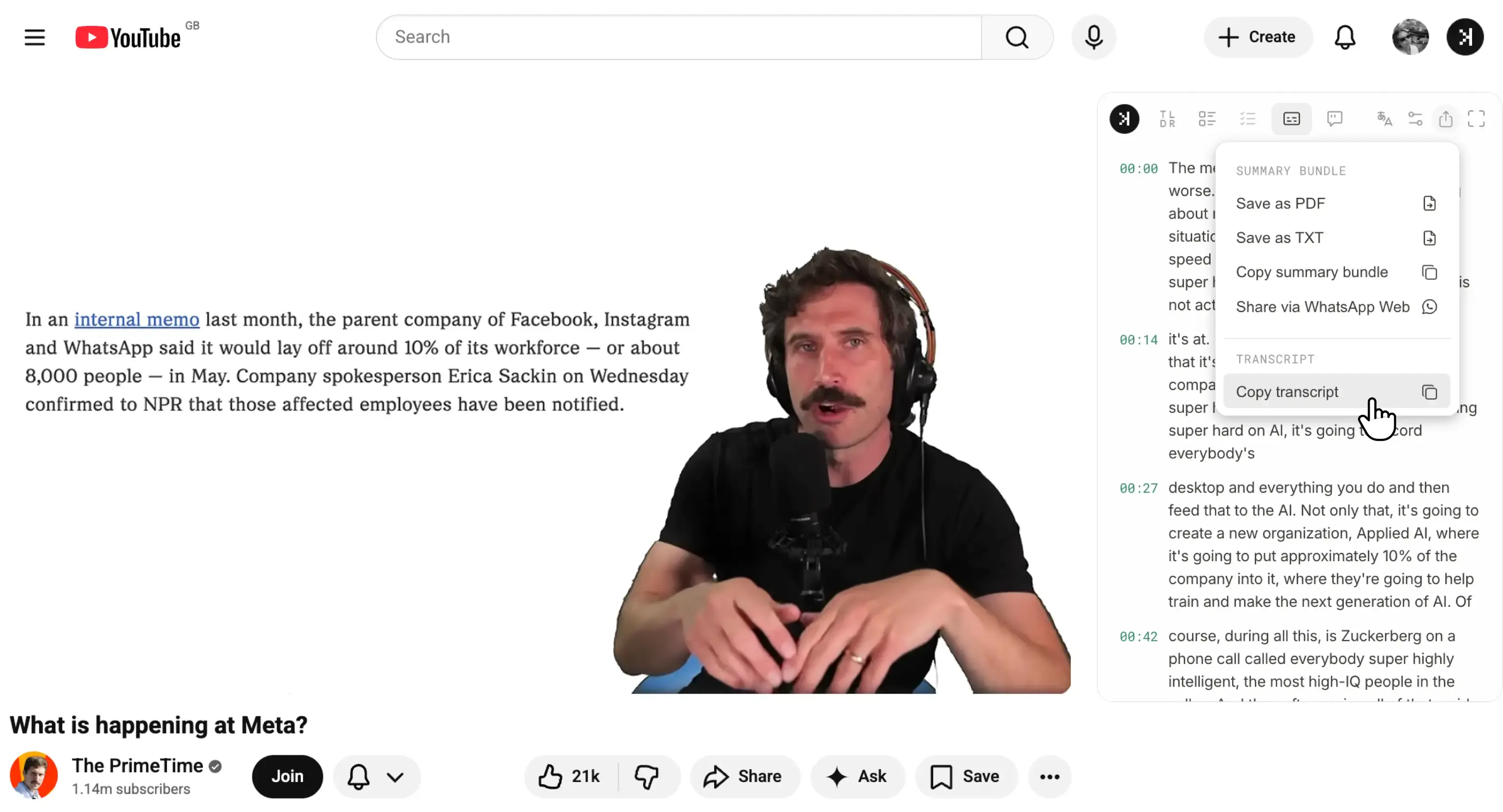
One-click CopyExtract YouTube video transcript online easily
Use the auto scroll feature to follow along the transcript as the video plays or one-click copy the transcript text in 20+ langauges for your own workflow.
Learn more about how to view YouTube video transcript
What is a YouTube transcript?
A YouTube transcript is the full text of everything said in a video, often timestamped. It's much like subtitles except it does not appear as an overlay over the video. YouTube video transcripts, when available can be grouped into 2 categories:
1
Creator-uploaded captions
Some creators add their own captions, which are often more accurate than auto-generated ones and may include multiple languages.
2
Auto-generated captions
YouTube creates these automatically with speech recognition. Available on most videos, but accuracy varies (often cited around 60–70%), so names, acronyms, and technical terms can be wrong.
How to view YouTube transcript?
To view a YouTube transcript using YouTube's native transcript panel, you must first set up the transcript panel. Here's how to do so on desktop and mobile and how SkipBait skips the set up process and auto loads it for you.
Setup required
With YouTube's native transcript panel
Desktop
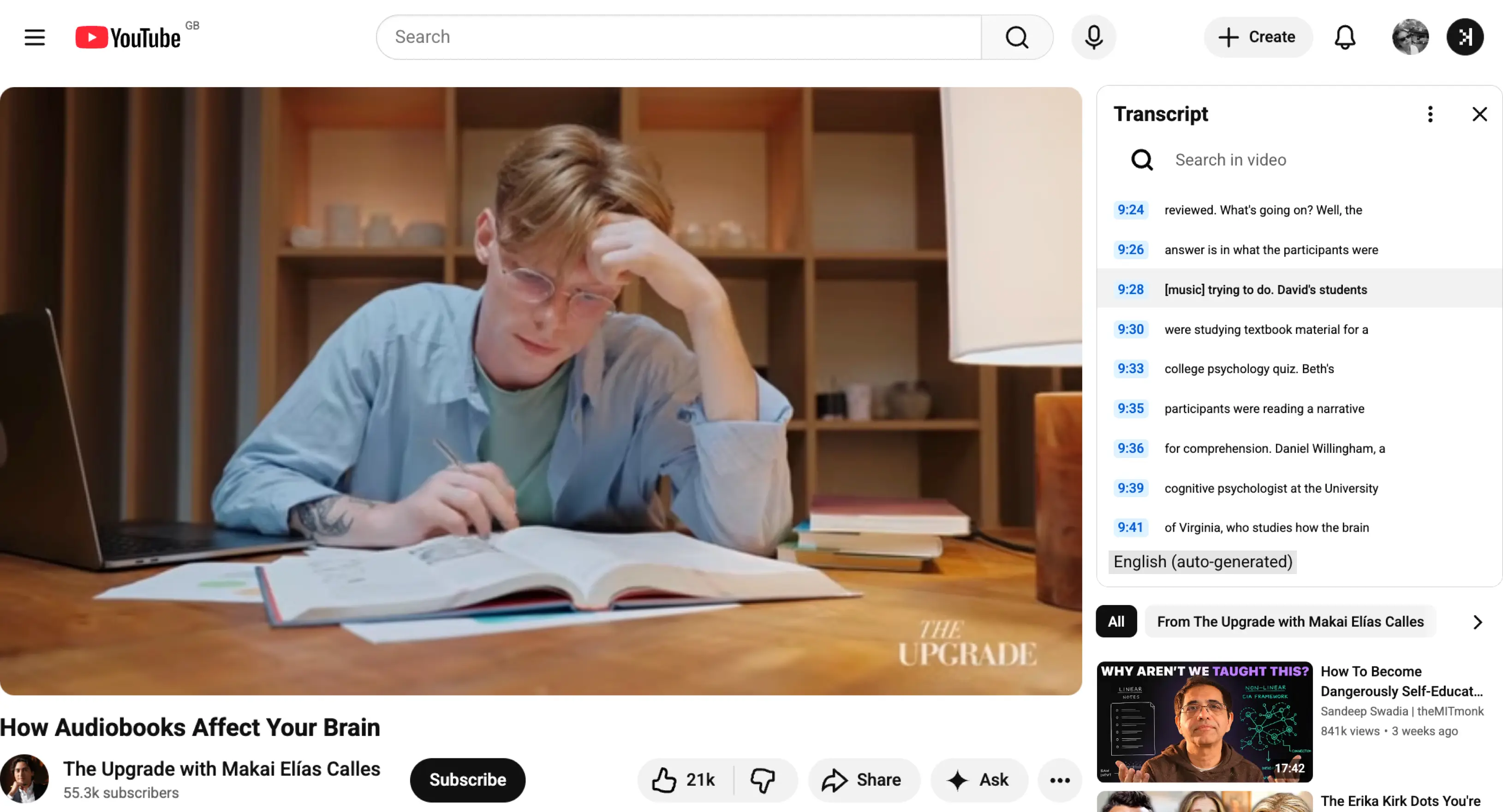
Under the video, click the description container to expand it. Scroll down to the Transcript section and click Show transcript for the timestamped panel to show up next to the player.
Click any line to jump to that moment. Use the three-dot menu in the panel to toggle timestamps on or off.
Mobile
Tap the video title or …more under the player to expand details.
Scroll past the description and links until you see Show transcript; tap it. The panel slides up and auto-scrolls as the video plays.
Visit YouTube watch page and click Generate Transcript (Optionally translate to 20+ languages).
Read, turn on auto-scroll, copy to clipboard, or search the transcript right from the side panel. Want these same features without installing an extension? Use our free web tool (works on desktop and mobile). See how to search through the transcript by using exact words, and by meaning using SkipBait.
Reading a transcript on YouTube vs SkipBait
YouTube's transcript is fine for a quick glance, but it's built for reading along, not for actually working with the text. A few things get in the way.
No select-all or copy button — to copy, you drag-select the whole thing manually.
Broken formatting — it pastes as dozens of short line-broken phrases, not clean paragraphs.
Language is limited — YouTube built-in transcript panel shows other language options when the creator added them, while YouTube auto translate options if often displayed when enabled, it only shows the original language in the panel. If you are looking for consistent translation option across all videos, you can use SkipBait to translate the transcript on the watch page instead.
YouTube · same video
1 language in the YouTube native transcript dropdown — often show creator uploaded or auto-generated transcript in the original language only.
SkipBait · same video
20+ languages on demand from the translate dropdown — read or search the transcript in your language even when YouTube only shows one.
SkipBait also shows the transcript in a clean panel on the watch page, with one-click copy of the full text — so you can work with the text without drag-selecting or fighting broken paste formatting.
SkipBait's extension copies text; if you want to download the transcript as a file, use SkipBait's free web tool. YouTube itself has no download option — every guide notes you must copy-paste manually.
Click the description container under the video to expand it. Scroll down to find and click the Show transcript button and wait for the timestamped panel to open beside the player. Looking for a mobile solution? See how to view youtube transcript on mobile.
Open the video in the YouTube app or mobile browser, tap …more under the player, scroll down to find and tap Show transcript to trigger the transcript panel to slide up. To search within the transcript or download it on mobile, use SkipBait's free web tool from your phone's browser. Looking for a desktop solution? See how to view a transcript on youtube using desktop.
The default page for YouTube Shorts usually hides the transcript button, so there's no direct Show transcript option the way there is on a regular video. The workaround is to open the Short as a normal video by replacing /shorts/ in the URL with /watch?v= and reload. This plays the short in a standard player, where you can click to expand the description then click Show transcript to open the transcript panel.
YouTube moved it and the Show transcript button now lives inside the expanded video description: click the description container under the video to expand it, scroll past the Transcript section, and you'll find it there. Install SkipBait to skip the setup for every video, the transcript panel will automatically load as soon as you land on the watch page.
They overlap but aren't exactly the same. A transcript is the full text of what is spoken in the video, optionally timestamped. Subtitles are the on-screen text, often translated into another language, that appears over the video as it plays. Closed captions (CC) are similar to subtitles but made for viewers who are deaf or hard of hearing, so they also note speaker changes and sound effects. Use our free web tool to download the transcript and subtitle files.
YouTube built-in panel does not offer a download option. Use an online transcript generator or SkipBait's free web tool to download the transcript as a file. SkipBait's web tool works on both desktop and mobile. If you do this often, consider installing SkipBait for one-click copy and downlaod direcrly inside YouTube video page. If you are looking for how to view transcript on youtube, click here.
YouTube built-in panel does not offer a copy button. If you need to copy transcript text often, consider installing SkipBait chrome extension, it's a one-click solution that works directly from the YouTube watch page.
Usually because the creator disabled captions, none were auto-generated. If there's no caption track, there's nothing to show in the transcript panel.
YouTube built-in panel shows all creater-added transcript and a single auto-generated transcript in the video's original language. SkipBait translates the transcript to 20+ languages which you can access from the side panel on demand.
To turn off on-screen subtitles (CC), click the CC button on the video player (or disable captions in the player settings).
To hide the YouTube built-in transcript panel after you have opened it, click the X located in the top right corner of the panel.
They are often around 70% accurate, good enough to follow along, but names, acronyms, and technical terms could be wrong. Creator-uploaded captions are usually much more accurate because a human prepared them.
Generally for personal use — studying, note-taking, or quoting with attribution. Respect the creator's rights and YouTube's terms of service; this isn't legal advice, but copying a transcript for your own workflow is different from republishing the video's content.
Yes. SkipBait has a free plan that covers 2 AI summary bundles daily, unlimited transcript retrieval and limited chat messages and summary translation that resets monthly. Paid plans lift the limits for heavier use.